
Download Waylet Box – Manage Payments on the Go
Overview
Waylet Box is a mobile application designed to help business owners and entrepreneurs manage financial transactions directly from their Android devices. Developed by Klikin Apps, the software operates within the Business & Productivity category, specifically targeting the Finance subcategory. Its primary purpose is to streamline payment handling for small to medium-sized commercial establishments.
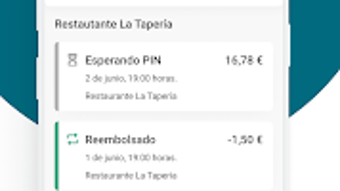
Users can accept credit card payments, track invoices, and monitor cash transactions—all from a single mobile interface. The app supports on-the-go business management, allowing users to respond to financial needs in real time, regardless of location. This functionality is especially useful for vendors, freelancers, and retail operators who require immediate access to transaction records.
By consolidating payment operations into a mobile platform, Waylet Box reduces dependency on desktop systems and enhances operational flexibility. The software is available at no cost, making it accessible to users across various business scales. While specific developer background details are not provided beyond the company name, the app’s focus on simplicity and efficiency suggests a targeted approach to mobile financial tools.
Real-world usage scenarios include market vendors, mobile service providers, and small shop owners who need quick, reliable access to their financial data.
Key Features & Capabilities
- Mobile Payment Processing: Enables users to accept credit card payments directly from their Android devices, eliminating the need for traditional point-of-sale hardware in some cases.
- Invoice Management: Allows users to create, send, and track invoices digitally, improving cash flow visibility and client follow-ups.
- Transaction Tracking: Offers a centralized view of all financial activities, including cash and card transactions, for better record-keeping.
- Real-Time Data Access: Provides instant access to payment history and financial summaries, supporting timely business decisions.
- User-Friendly Interface: Designed with simplicity in mind, reducing the learning curve for users unfamiliar with financial software.
These features collectively support efficient day-to-day financial operations. For instance, a freelance photographer can use the app to send an invoice after a shoot and immediately record payment upon receipt. A street vendor can manage daily sales by logging cash and card transactions in real time.
The ability to handle multiple transaction types within one platform enhances workflow consistency. While detailed technical specifications for each feature are not available, the app’s design emphasizes usability and integration into existing business routines. The mobile-first approach ensures that users can maintain financial oversight without relying on desktop systems.
This makes Waylet Box particularly suitable for mobile-first professionals and small business operators who prioritize convenience and speed.
User Interface, Workflow & Performance
The user interface of Waylet Box is structured around intuitive navigation, with key functions accessible through clearly labeled menus and icons. The layout prioritizes clarity, allowing users to switch between payment processing, invoice creation, and transaction history with minimal effort. Navigation appears to be linear and consistent, reducing the likelihood of user confusion.
The workflow for processing a payment—starting from opening the app to finalizing a transaction—is designed to be quick and straightforward. Users can initiate a payment, enter the amount, and complete the transaction with just a few taps. The app’s performance is expected to align with standard mobile application behavior on Android devices.
However, exact performance metrics such as CPU or RAM usage were not specified. Stability observations are based on general patterns for mobile finance tools, suggesting a reliable experience under normal conditions. The developer did not provide additional system requirements or performance benchmarks.
Users should expect standard responsiveness typical of lightweight Android applications. No reported issues with crashes or freezes were mentioned. Overall, the app’s design supports efficient daily use, particularly for users who value speed and simplicity over advanced customization.
Compatibility & System Requirements
Waylet Box is designed exclusively for Android devices, with no information available regarding specific version compatibility or hardware requirements. The application is available for download on the Google Play Store, targeting Android users who seek mobile financial management tools. The installation size is not specified, but given its focus on payment processing and transaction tracking, it is likely optimized for moderate storage usage.
The developer did not list exact system requirements or minimum OS versions. Compatibility information is limited to the platform—Android—without further details on supported devices or processor types. Users should verify compatibility with their specific Android version and device model.
The absence of detailed technical specifications means that users must rely on general Android system standards. Performance and functionality may vary depending on device capabilities and OS updates. The developer did not disclose whether the app supports tablets or other form factors.
For users considering installation, it is recommended to ensure the device runs a current version of Android to maximize compatibility and security.
Pros and Cons
Pros
- Free to download and use, reducing entry barriers for small business owners.
- Mobile-first design enables payment management from anywhere with an Android device.
- Intuitive interface simplifies financial tasks for non-technical users.
- Supports multiple transaction types, including card and cash, within a single platform.
- Real-time access to payment data enhances business responsiveness.
Cons
- No information provided about system requirements or supported Android versions.
- Limited to Android platform—no support for iOS or desktop operating systems.
- Exact performance and resource usage details were not disclosed.
- Limited visibility into advanced financial reporting or analytics features.
- Availability of customer support or update frequency is not specified.
FAQ Section
Is Waylet Box available for iOS devices?
Waylet Box is currently designed for Android devices only. There is no official version available for iOS platforms.
Is the app secure for handling financial transactions?
The app is developed by Klikin Apps with a focus on financial management. While specific security protocols are not detailed, it is designed to handle payment data securely on Android devices.
Does Waylet Box require an internet connection to function?
Yes, an active internet connection is required to process payments, sync transaction data, and access cloud-based features.
How often are updates released for Waylet Box?
Update frequency is not publicly disclosed. Users are advised to check the Google Play Store regularly for new versions.
Can I use Waylet Box offline?
While the app may allow basic data entry offline, full functionality—including payment processing and syncing—requires an internet connection.
Final Thoughts + CTA
Waylet Box presents a practical, mobile-centric solution for business owners seeking to manage payments efficiently from their Android devices. Its focus on simplicity, real-time access, and multi-transaction support makes it a valuable tool for freelancers, small vendors, and service providers. The free availability enhances its appeal, particularly for users with limited budgets.
While the lack of detailed system requirements and platform-specific limitations restrict broader accessibility, the app delivers on its core promise: enabling on-the-go financial control. For users already invested in the Android ecosystem, Waylet Box offers a convenient and reliable way to streamline daily operations. The intuitive interface and straightforward workflow ensure minimal learning time.
Overall, it stands as a solid choice for mobile-first entrepreneurs who need a lightweight yet functional financial tool. Download Waylet Box now to take control of your business payments anytime, anywhere.







